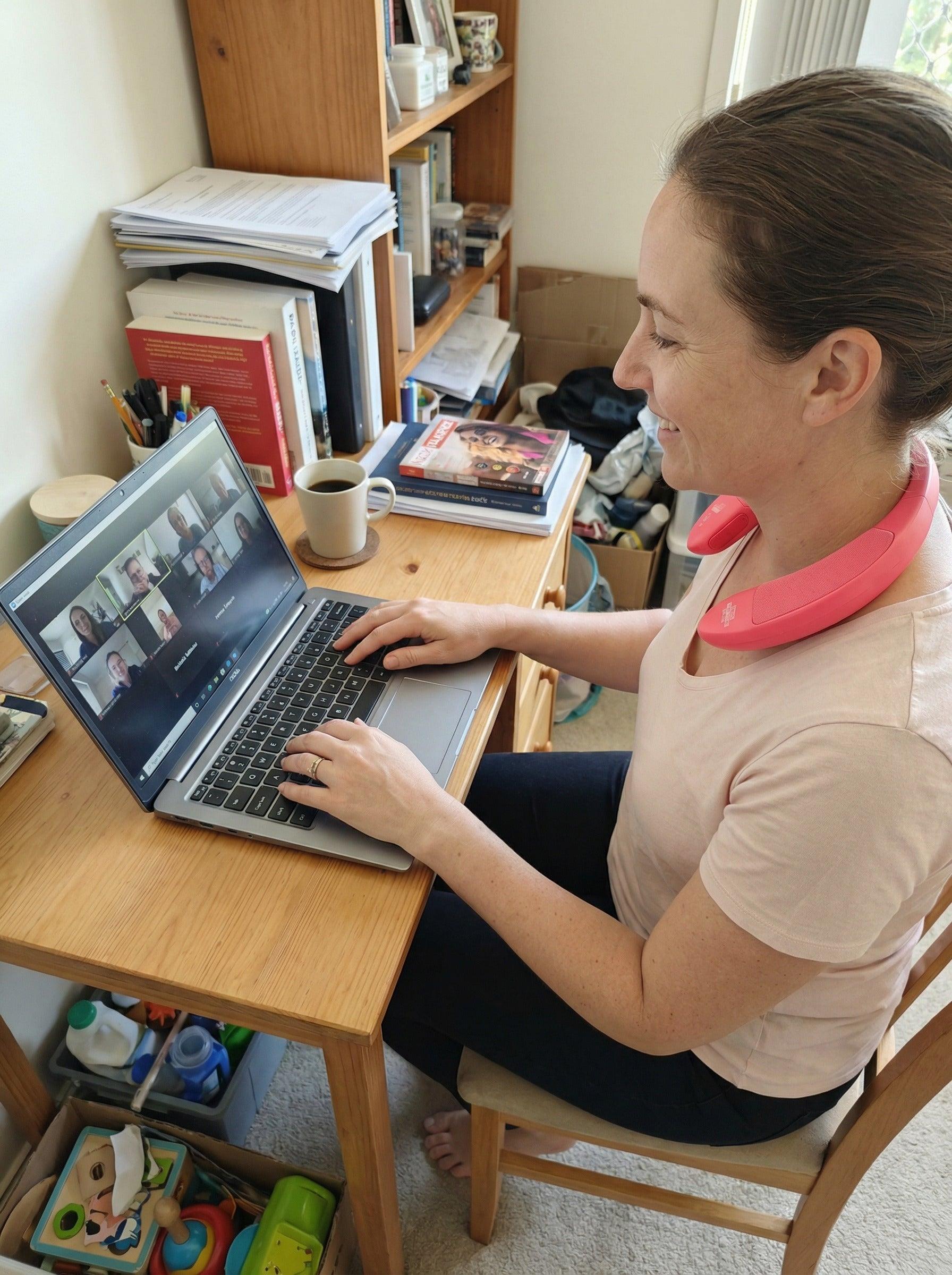
#NECKTHEATRE - HOW TO USE?
👋Everything you need to get started.
This quick guide shows how to connect, and use NeckTheatre comfortably in everyday life.
PHONE CONNECTION MODE
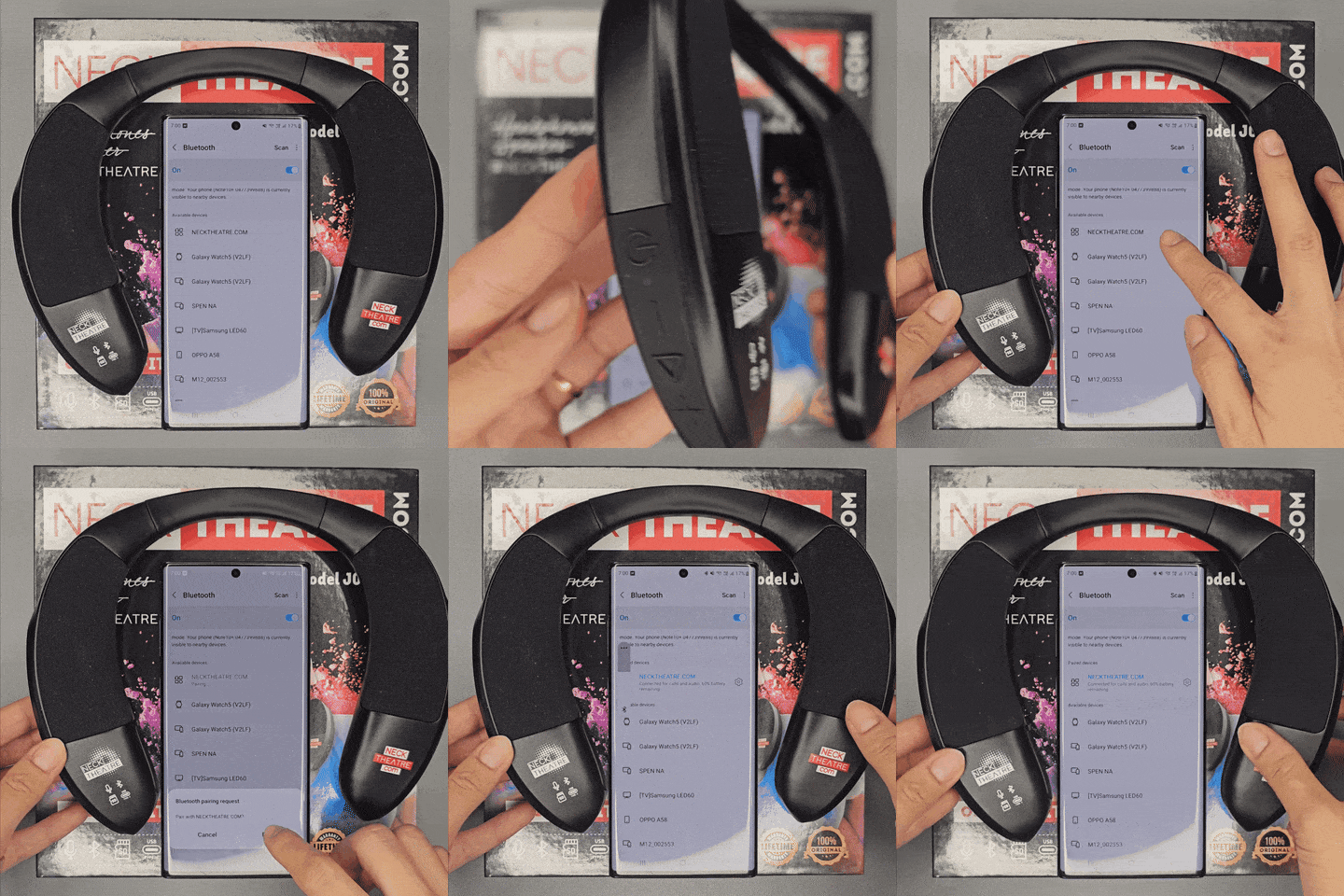
How to connect NeckTheatre to you phone?
-
Long Press POWER - Blue light blinks quickly.
-
Turn on Bluetooth function on your phone, search for Neck Theatre on your Bluetooth List, then pair it.
After successful pairing, the indicator light blinks slowly.
GET A CONCERT EFFECT
NeckTheatre can play any songs you find on Youtube, Spotify, Facebook, Tiktok, etc... just like all the audio devices you previously had.
WHAT MAKES NECKTHEATRE DIFFERENT?
-
If you search Taylor Swift you can find all regular Taylor Swift songs. Neck Theatre can play all songs.
-
If you add the keyword " 8D" (which means 8 dimensional), when you search for "Taylor 8D", you will find professional files used in many stadium concerts.
Most music lovers does not know about these professional files. Even if they do, their regular audio device likely can't fully utilize them.
Before NeckTheatre, music lovers needed to attend live converts or probably to afford expensive, bulky theatre systems, costing about $15,000 (or more) to get a concert effect.
Listening to these system also required a spacious living room and sitting in a specific zone.
NeckTheatre lets you enjoy this brilliant effect anywhere without being confined to a room.
You can start trying with this playlist:
HANDS-FREE CALLS
Neck Theatre includes a high-quality, built-in, microphone that allows you to answer calls from your phone hands-free.
When Neck Theatre is playing via Bluetooth and you receive a call, it will pause and you will hear the ringtone.
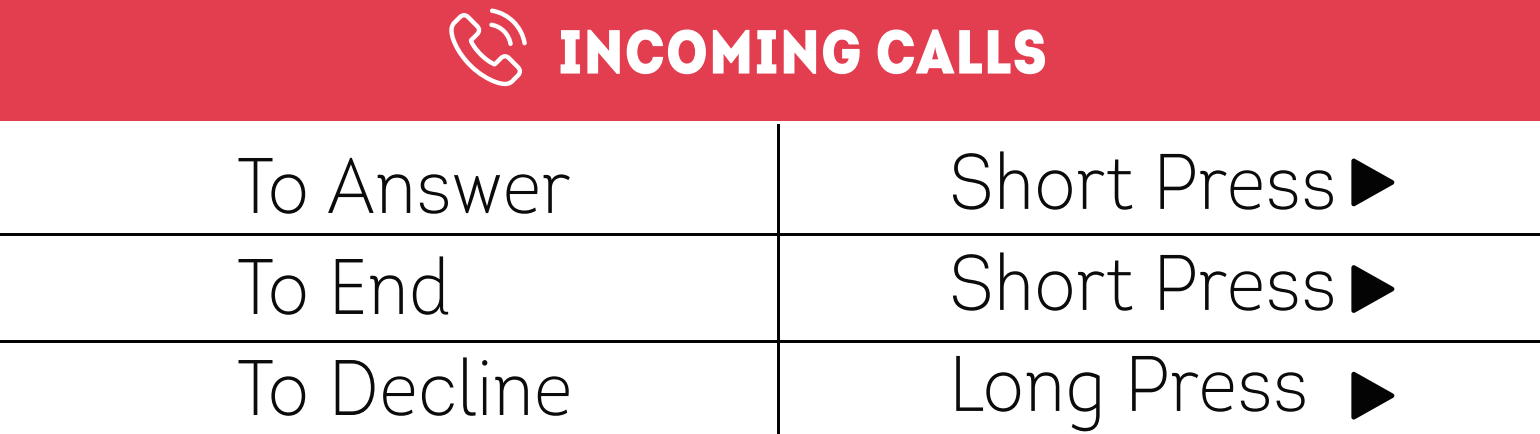
Answer Phone Call
Decline Phone Calls
PHONE - FREE MODE
MADE FOR NON-STOP ENTERTAIMENT
For uninterrupted music/news, Neck Theatre has an option to work without operating the phone.
-
Insert a Micro SD card into the slot and NeckTheatre will automatically play MP3 files.
-
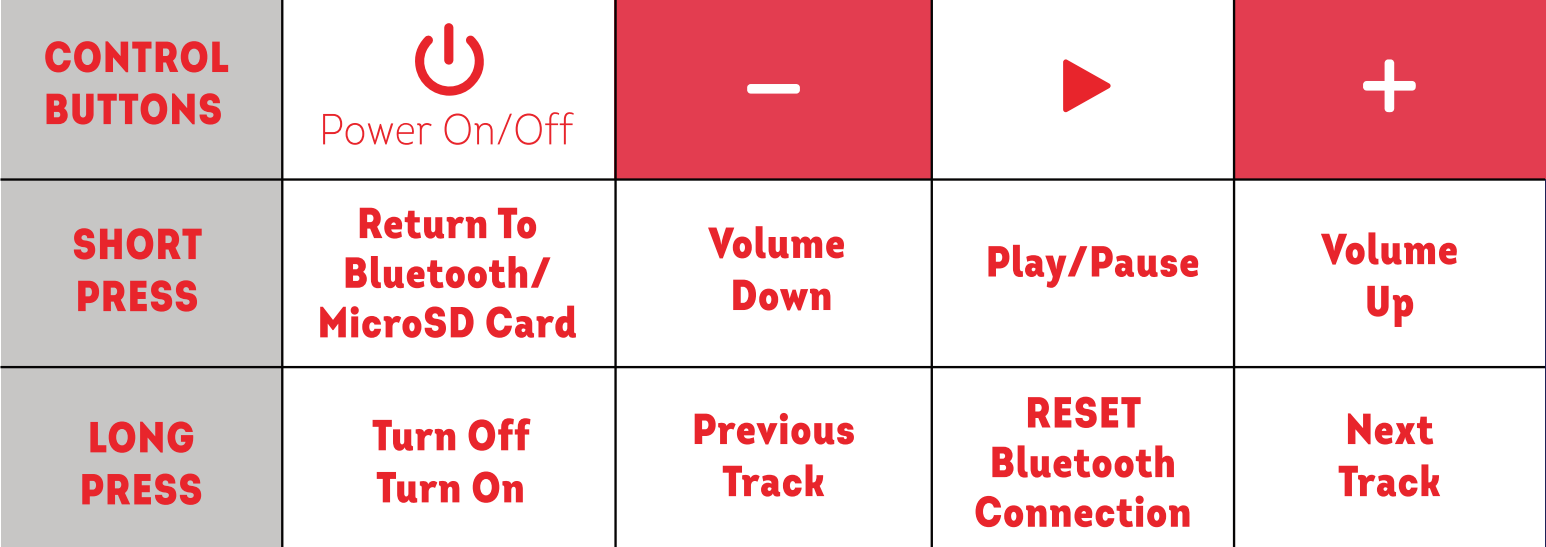
To exit MP3 Mode, simply Short Press power button or remove the Micro SD card.
CHARGING
ECOMODE
Neck Theatre is programmed to automatically turn off when there is no connection within 10 minutes after power on.
To restart, just press the power button again.
CHARGING
Neck Theatre includes a USB type C cable. While charging the indicator light glows red.
When fully charged the light will turn off.
Neck Theatre allows you to experience sound in a whole new way.